

Why I Switched from WordPress to Framer for Service-Based Websites in 2026 (And You Should Too)
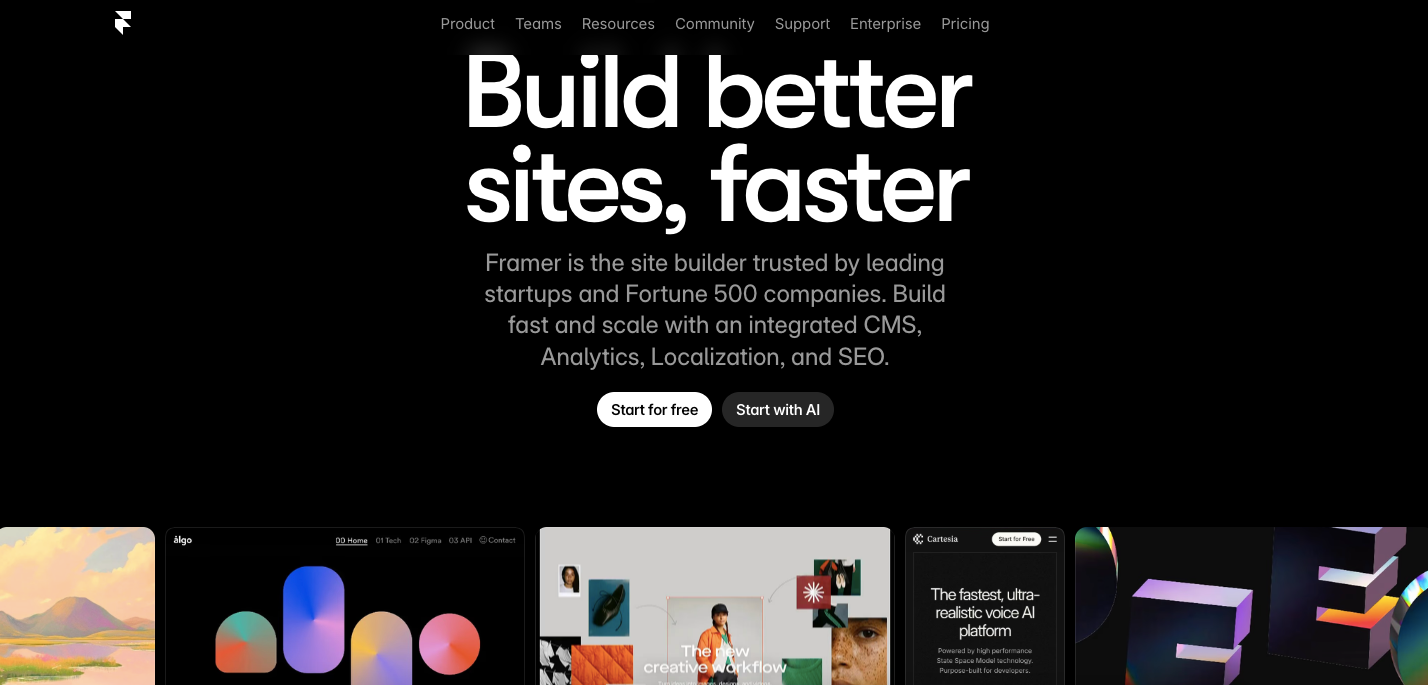
Let me tell you about the moment I realized I was wasting my time.
I’d just spent 10 hours building a service website in WordPress. The design was approved in Figma, the client loved it, and I thought the hard part was over. But then came the reality: translating that beautiful Figma design into WordPress, wrestling with Elementor’s responsive settings, and constantly switching between desktop view, tablet view, and mobile view in different preview modes. It felt like I was building three separate websites.
Thanks for reading! Subscribe for free to receive new posts and support my work.
Then I tried Framer. That same project took me hours, not days. The responsive design I’d been fighting with in WordPress? It was right there on the same canvas, adjusting in real-time as I worked.
If you’re building service-based websites in 2026 and still using WordPress, I’m going to share why Framer might completely change your workflow. This isn’t about one platform being “better” universally—it’s about which tool actually makes sense for the work we’re doing.
The Design-to-Build Gap (And How Framer Eliminates It)
Here’s my old workflow with WordPress:
- Design everything pixel-perfect in Figma
- Get client approval (they love it!)
- Export assets
- Open WordPress
- Start rebuilding everything from scratch in Elementor or Gutenberg
- Realize the spacing is off
- Check the Figma file again
- Adjust padding, margins, and spacing
- Preview on mobile (looks broken)
- Go back to desktop view
- Try to fix mobile without breaking desktop
- Switch to tablet view (also broken)
- Question my career choices
Sound familiar?
With Framer, my workflow looks like this:
- Design in Framer (it looks and feels like Figma because it essentially IS a design tool)
- Get client approval
- Done. The design IS the website.
I’m not exaggerating. When I design in Framer, I’m already building. There’s no translation step. That hero section with the subtle parallax effect? It’s already live and functional. The responsive breakpoints? I can see all of them on the same canvas, not buried in separate preview modes.
Real example: I recently built a website for a consulting firm. In Figma, I’d designed a services grid that looked perfect on desktop—three columns, nice spacing, professional look. In WordPress, making that same grid look good on mobile meant creating a completely different layout using custom CSS or hoping my page builder could handle it gracefully (spoiler: it usually couldn’t).
In Framer, I designed the desktop version, then literally just dragged elements around on the mobile breakpoint right there on the same page. I could see exactly how it would look. No guessing, no preview windows, no publishing to staging just to check if it actually worked.
Performance: The Silent Killer of Service Websites
Let’s talk about something your clients might not ask about but definitely notice: speed.
Service-based businesses live and die by credibility. When someone lands on a consulting firm’s website or an agency’s portfolio, and it takes 4+ seconds to load, what message does that send? That they’re sloppy? Behind the times? Not detail-oriented?
WordPress sites can be fast, but it requires work. You need to:
- Choose a lightweight theme (good luck finding one that looks modern)
- Install a caching plugin (WP Rocket, W3 Total Cache, pick your poison)
- Optimize your images (another plugin)
- Minify CSS and JavaScript (yep, another plugin)
- Set up a CDN (more configuration)
- Hope none of these plugins conflict with each other
- Update everything regularly
- Cross your fingers
I learned this the hard way when a client’s WordPress site scored a 45 on Google PageSpeed Insights despite my optimization efforts. The culprit? A “lightweight” theme that loaded jQuery, three font families, and a bunch of CSS I didn’t even use.
Framer handles all of this automatically. Sites are built on React, images are automatically optimized and served in modern formats (WebP, AVIF), code is minified, and everything’s delivered through a global CDN. I recently launched a design agency’s site in Framer that scored 98 on PageSpeed Insights—no plugins, no configuration, no optimization anxiety.
The numbers don’t lie: The average WordPress site loads in 2.5-3 seconds. Most Framer sites I’ve built load in under 1 second. For service businesses where first impressions matter, that’s huge.
Responsive Design: Where WordPress Shows Its Age
Remember when I mentioned spending 10 extra hours on responsive design in WordPress? Let me break down why this keeps happening.
WordPress was built in 2003. Responsive design wasn’t even a concept until 2010. Sure, WordPress has evolved, but it’s fundamentally trying to retrofit modern responsive capabilities onto a platform that wasn’t designed for them.
The WordPress responsive reality:
- You design on desktop view
- You click a tablet icon to see tablet view
- Something’s broken, so you add tablet-specific CSS
- You click a mobile icon to see mobile view
- That’s broken too, and now you need mobile-specific CSS
- You switch back to desktop view to make an edit
- You break mobile again without realizing it
- You publish and pray
The Framer responsive reality:
- You design on a canvas that shows all breakpoints simultaneously (if you want)
- You see desktop, tablet, and mobile layouts right there
- You make changes that intelligently adapt across breakpoints
- You can set specific overrides per breakpoint visually
- What you see is literally what your users will get
I built a site for a law firm recently that needed a complex navigation menu. On desktop, it had dropdown menus with multi-column layouts showing practice areas. On mobile, it needed to collapse into a hamburger menu with a slide-out drawer.
In WordPress with Elementor, this required:
- Building the desktop menu
- Using custom CSS to hide it on mobile
- Building a completely separate mobile menu
- More custom CSS to show/hide based on screen size
- Testing extensively because sometimes the mobile menu appeared on tablet
- A small existential crisis
In Framer, I built the desktop navigation, then on the mobile breakpoint, I literally just changed the layout to a hamburger menu. Framer handled the show/hide logic automatically. The whole process took maybe 20 minutes instead of 2 hours.
The Plugin Paradox
Here’s something nobody tells you about WordPress: the plugins that make it powerful are also what make it fragile.
Need a contact form? That’s a plugin. Want to add schema markup for SEO? Plugin. Need to optimize images? Plugin. Want to add team member profiles? Plugin. Analytics? Plugin. Security? Plugin. Backups? Plugin.
My record was 23 plugins on a single service website. Twenty-three separate pieces of code, all needing to:
- Work together without conflicts
- Stay updated regularly
- Remain compatible with WordPress core updates
- Not get abandoned by their developers
- Not introduce security vulnerabilities
Real nightmare scenario: I once updated a popular form plugin on a client’s website, and it broke their entire checkout integration. The site went down during business hours. The plugin developer had changed their API structure without warning. I spent 3 hours on a Wednesday afternoon fixing something that was working perfectly that morning.
Framer has built-in forms, built-in CMS, built-in SEO tools, built-in analytics integration, and built-in everything else you actually need for a service website. No plugins. No updates. No conflicts. No 3 AM emergencies.
Does this mean Framer can do everything WordPress can do? No. WordPress has 60,000+ plugins for a reason. But here’s the question: for a service-based website (consulting, agency, law firm, architecture, coaching, etc.), do you actually need 60,000 options, or do you need the 10 things that work flawlessly every time?
The CMS Story: Simple vs. Complicated
“But WordPress has the best CMS!” people say. And they’re not wrong—if you’re running a newspaper or a complex content operation.
But let’s be honest about what most service businesses need from a CMS:
- Case studies / portfolio projects
- Team member bios
- Service pages
- Blog posts (maybe)
- Client testimonials
WordPress gives you the power to do absolutely anything with your content. You can create custom post types, taxonomies, meta fields, and build infinitely complex content structures. This is amazing if you need it. It’s overkill if you don’t.
The WordPress CMS experience for service sites:
- Install WordPress
- Install a page builder plugin
- Install Advanced Custom Fields plugin
- Create custom post types
- Create custom fields for each post type
- Build templates to display this content
- Style everything to match your design
- Teach your client how to use all of this
- Get a call three months later because they broke something
The Framer CMS experience:
- Click “Create CMS Collection”
- Add fields (text, image, date, whatever you need)
- Design how items should look
- Connect your design to the CMS
- Your client adds content in a clean, simple interface
I built a portfolio site for a creative agency recently. They needed to showcase projects with categories, images, client names, and project descriptions. In WordPress, this would have required custom post types, taxonomies, ACF fields, and custom template files.
In Framer, I created a “Projects” collection, added the fields I needed, designed the project template, and was done in under an hour. The agency team can now add projects themselves without calling me every time. They literally just fill in fields like they’re filling out a form. No WordPress admin confusion, no accidentally deleting important content, no “where do I click?” support tickets.
Collaboration and Client Handoff: The Underrated Advantage
Here’s something that doesn’t get talked about enough: what happens after you hand the website over to your client?
With WordPress, I’d build beautiful sites, hand them over, and then get weekly calls:
- “I tried to update the homepage and now there’s a white space”
- “The mobile menu disappeared”
- “I added an image and it’s not showing up”
- “I updated a plugin and the site broke”
These weren’t bad clients. WordPress just has a steep learning curve, especially when you’re using page builders. There are too many ways to accidentally break things.
Framer’s editing experience is intuitive in a way WordPress never will be. When I hand off a Framer site to a client:
- They can edit text by clicking and typing (not hunting for the right widget)
- They can swap images by dragging and dropping
- They can add CMS items through a simple form
- They can’t accidentally delete important structural elements
- They can’t break the responsive design
- They don’t need to worry about plugin updates or security
Real testimonial from a client (a boutique consulting firm): “With our old WordPress site, I was afraid to touch anything. With Framer, I updated our team page, added a new case study, and changed our service descriptions all by myself. It felt like editing a Google Doc.”
That’s the difference. WordPress makes you feel like you’re going to break something (because you might). Framer makes you feel confident.
The Cost Reality Check
“WordPress is free!” people love to say. And it’s true—the software is free. But let’s talk about the actual cost of running a professional service website on WordPress in 2026:
WordPress actual costs:
- Hosting: $20-100/month (for good hosting that’s actually fast)
- Premium theme: $60-200 (one-time or annual)
- Page builder: $50-250/year (Elementor Pro, WPBakery, etc.)
- Essential plugins: $100-300/year (forms, SEO, security, backups, performance)
- Maintenance: Your time every month updating everything
- Total Year 1: $500-1,500+
Framer costs:
- Basic site: $5/month
- CMS site: $15/month
- Everything included: hosting, SSL, CMS, forms, performance, security
- Zero maintenance time
- Total Year 1: $60-180
Even if you spring for Framer’s higher-tier plans, you’re still spending less and getting a better, faster site that requires zero maintenance.
The time savings alone justify the switch. Those 10 extra hours I mentioned spending on WordPress for responsive design? That’s $500-1,000 in billable hours (or your own time that you could spend on literally anything else). Multiply that across multiple projects per year, and Framer basically pays for itself.
When WordPress Still Makes Sense
Look, I’m not here to tell you WordPress is dead or that Framer is perfect for everything. That would be dishonest.
Stick with WordPress if you need:
- Complex e-commerce with thousands of products and variants
- Extensive membership systems with tiered access and subscriptions
- Multi-language sites with complex translation workflows
- Heavy content publishing (think: online magazine with 50 posts per week)
- Specific industry plugins that only exist in the WordPress ecosystem
- Deep WooCommerce integration with specific payment gateways or shipping systems
WordPress has been around for over 20 years. It has solutions for nearly everything, even if those solutions require juggling 15 plugins.
But for service-based businesses—the consultants, agencies, law firms, architects, coaches, therapists, designers, and professionals who need a beautiful, fast, credible web presence—Framer is the better tool in 2026.
Making the Switch: Is It Worth the Learning Curve?
“But I already know WordPress” is the most common pushback I hear. And I get it. You’ve spent years learning WordPress, understanding its quirks, building your plugin toolkit, and mastering your preferred page builder.
Here’s the truth: Framer has a learning curve. It’s different. You’ll need to learn a new interface, new concepts, and new ways of thinking about web design.
But here’s the other truth: it’s not as steep as you think, especially if you already know Figma or any modern design tool. Most designers I know are productive in Framer within a week and prefer it within a month.
My learning timeline:
- Day 1: “This is weird, where’s everything?”
- Day 3: “Okay, this is actually pretty intuitive”
- Week 1: Built my first complete site (took longer than WordPress would have)
- Week 2: Built my second site (took about the same time as WordPress)
- Week 3: Built my third site (faster than WordPress)
- Month 2: Never looked back
The initial investment in learning Framer pays dividends on every single project afterward. Every website is faster to build, easier to maintain, and better performing.
The Bottom Line
I wasted years fighting with WordPress for service websites. I thought the flexibility was worth the complexity. I thought the plugin ecosystem was worth the maintenance burden. I thought the learning curve I’d already climbed meant I should stick with it.
I was wrong.
Framer isn’t perfect, but for service-based websites in 2026, it’s simply the better tool. It’s faster to design in, faster to build with, faster for end users, easier for clients to manage, and cheaper to run.
That 10-hour difference I mentioned at the beginning? That’s now time I spend on strategy, content, or working with clients on what actually matters—not fighting with responsive CSS and plugin conflicts.
If you’re still building service websites in WordPress, I’m not saying you should drop everything and switch today. But I am saying you should give Framer a serious look. Build one site in it. See how it feels. Compare the process to your WordPress workflow.
I think you’ll be surprised.
And if you’re starting fresh in 2026 and trying to decide between WordPress and Framer for service-based website development, I hope this article makes your decision easier.
The future of web design isn’t about managing plugins and fighting with page builders. It’s about designing beautiful experiences and having them just work.
Welcome to Framer.
What’s your experience with Framer or WordPress? I’d love to hear your thoughts in the comments below.